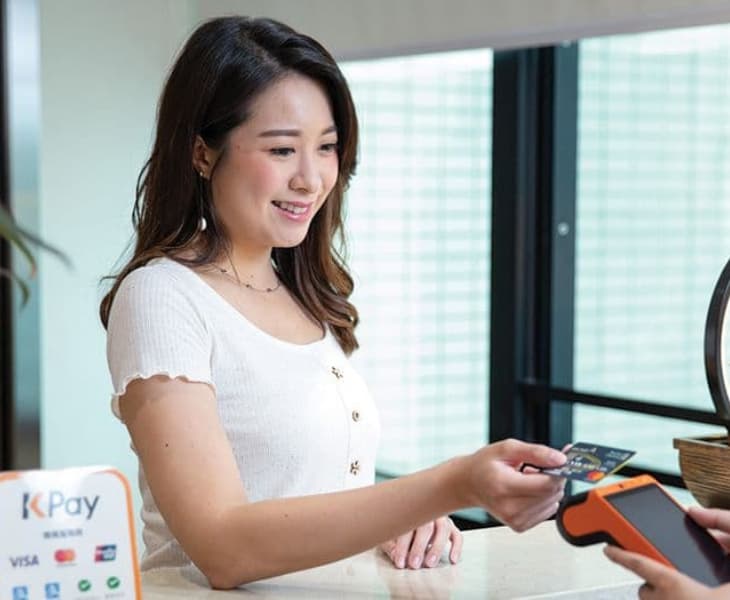
Becoming an Octopus Merchant that receives payments from Octopus Card is not only for chain stores or big enterprises. Small merchants can also apply and become an Octopus Merchant, and the application process is very simple. Moreover, merchant service for octopus cards actually has a lot more functions that can improve and help you grow your business.
In this article, we would explain some of the differences between Octopus Merchant and personal Octopus Cards. We will also provide a detailed explanation of the steps, required documents, fees, and settlement time if you were to apply and become an Octopus Merchant.
There are various types of electronic payment tools, and it can be time-consuming to apply for each and every one of them separately. KPay understands the needs of small and medium-sized enterprises, as our Smart POS terminal supports 15 mainstream payment tools, making it simple and convenient. New customers applying for KPay's POS terminals can enjoy a limited-time offer of $0 transaction fees and an additional cash discount of up to $5,100! Remember to claim the offer by reading until the end.
Everything You Need to Know about Octopus for Business





Fees of Octopus merchants
Octopus card merchant fees vary based on needs and can be categorised as follows:
- Transaction Fee: Every time Merchant transfers the received amounts from their Commercial Octopus App to their bank account, The Octopus Card Company charges a 1.5% transaction fee. The bank that’s receiving the money for the merchant may also charge additional transaction fees.
- Equipment Fees: If merchants would like to integrate the Octopus Card reading devices into their existing POS cash register or POS sales system, they need to purchase compatible Octopus card readers, such as choosing the New Retail Reader (NRR) or Mini-Multipurpose Octopus Processor (Mini-MOP) which are compatible with preexisting POS systems. In order for the Octopus Card Reader to work successfully and display transaction details, merchants may also need to purchase additional set ups, such as purchasing cables, registering for broadband and internet service or purchasing additional monitors to connect your octopus devices. If the merchant's existing POS system is not from an approved Octopus system provider, Octopus Card Limited will need to send personnel to examine system compatibility and an inspection fee will be charged.
Apply for KPay Smart POS Terminal now
By only becoming an Octopus merchant, you limit yourself to a single payment method and may miss out on potential customers. You might also be charged extra on the installation fee and inspection fee! If you want to cover popular electronic payment channels in the market, consider applying for the KPay Smart POS terminal! In addition to supporting Octopus Merchant, it also supports an additional 14 mainstream electronic payment methods. We offer more market coverage which can attract more potential customers and further enhance payment efficiency, making your payment collection process more flexible and dynamic.
Application Steps:
- Fill in the company information on the official KPay contact form.
- The Electronic Payment Sales Consultant team will contact you to understand the payment methods required for your store.
- The KPay team will arrange a dedicated person to install the Smart POS terminal for you.
If you already have a commercial version of Octopus Merchant account, please inform the KPay sales consultant; they will assist you in connecting your existing account to the Smart POS terminal.
With KPay's Smart POS terminal, you get to enjoy:
- Access to 15 mainstream payment tools: The KPay Smart POS terminal supports not only Alipay HK but also various common electronic and contactless payment tools in the market, such as Octopus Card, WeChat Pay, major credit cards, BoC Pay, Apple Pay, etc. With one terminal, merchants can meet all their electronic payment needs and thus eliminating the need for multiple payment devices. Not only does this preserve a lot of valuable physical space for the shop, it is more convenient for customers to make purchases.
- Real-time access to transaction records and instant insights into turnover: KPay provides a mobile application for merchants that allow merchants to get access to real-time turnover and transaction records. There are also in-depth data analysis that analyzes sales trends, draws comparisons, and separate sales according to payment methods. These analysis and reports can be downloaded at any time. Our Smart POS Terminal not only facilitates payments but also allows for comprehensive sales data analysis, enabling businesses to understand and seize opportunities.
- Simple system setup and flexible handling of daily payments: The KPay Smart POS terminal is easy-to-learn. It is wireless, allows for flexible positioning of the terminal. No longer do merchants have to spend time on applying to various electronic payment providers and dealing with different transaction rates and settlement deadlines - Cash flow settlement with the KPay Smart POS terminal is fast, with funds typically deposited into the merchant’s bank account within three working days.
- Obtain multiple authoritative certifications for secure and trustworthy transactions: The KPay Smart POS terminal complies with PCI DSS Level 1 security certification. PCI DSS security standards are the highest in the industry, equivalent to the security levels for credit card and bank card transactions, which should assure a safe and sure payment process.
FAQs
When settling payments, what should I do if "Transaction Not Successful" shows up? Please try to initiate the settlement again. If the error messages persists, upload the existing transaction data to the Octopus Card server and update your software. If the settlement failure persists, please contact the official Octopus Card equipment management team.
Is it possible to accept Apple Pay with an Octopus Card terminal?It is. Once the data of the physical Octopus Card is transferred to Apple Wallet, the Octopus Card becomes part of Apple Pay. Accepting Apple Pay is just the same as accepting a regular Octopus Card—simply tap the card (in this case, your customer's iPhone or Apple Watch) to complete the transaction.
How long does it take for funds inside the Octopus Merchant account to be transferred into the Merchant’s Bank Account?After the data is uploaded to the Octopus Card Company's server, the Octopus Card Company will send a payment instruction to the bank on the next working day. Funds will be transferred to the merchant's receiving account within 1 to 2 working days.
Register online to get KPay's Smart POS Terminal or talk to our sales team to find out more today.
Important Notes
What are the Advantages of Becoming an Octopus Merchant?
It provides the highest coverage of electronic paymentOctopus Card has the highest coverage rate among all electronic payment methods in Hong Kong. According to the official Octopus Card data, Octopus Card has a user penetration rate of over 98% in Hong Kong. Many Hong Kong People have applied for Octopus Card since primary school and have continued to use Octopus Card services, making Octopus Card the most used payment method among various electronic payment methods in Hong Kong. Becoming an Octopus Merchant who can accept Octopus Card payments naturally opens up business opportunities.
It Improves efficiencyUsing Octopus Cards also helps improve business efficiency. By accepting Octopus Card payments, you can eliminate the process of giving change in cash, saving transaction time. Not only does it allow merchants to focus on their business by making the whole transaction smooth and time efficient, it also eliminates the risk of receiving counterfeit banknotes. Octopus Card’s Payment system is not only very secure and regulated, it also hosts marketing promotions to help merchants grow their business.
How to apply and become an Octopus merchant?
Apply directly to Octopus Card Company
Application steps:
Call 2266 2282 or email bizenquiries@octopus.com.hk to inquire about the details with Octopus Card Limited.
Apply for Commercial Octopus Card using the Commercial Octopus App
Application steps:
- Download the Commercial Octopus App from Google Play or the Apple Store.
- Open the "Merchant Registration" page in the app, select the correct merchant type for your business. Enter your business’s email address, mobile number, and account password to create an account.
- After confirming the details of your account, merchants need to submit the required application documents through the app.
- Once the application has been successfully approved, the merchant will receive SMS and email notification.
Required documents for application:
- Business Registration Certificate or Company Incorporation certificate
- Bank statements for the past three months
- Company details (such as company address, business type, photos of physical location)
- Bank account details
Application time:
The application takes at least one working day. Open the "Merchant Registration" page in the app, select the correct merchant type for your business. Enter your business’s email address, mobile number, and account password to create an account.
After confirming the details of your account, merchants need to submit the required application documents through the app.